
Simplifying with CSV Import
Major Projects

Client
Formulatrix
Service
UI/UX
Year
2024
Context
As a UX/UI Designer at Formulatrix, I worked on improving the protocol creation process in our laboratory automation software (autoPulse). Scientists relied on this software to prepare protocols, but the process was complex and time-consuming. Many users preferred to work in CSV/Excel due to familiarity and flexibility, but the software lacked this option.
My role was to analyze user pain points, design an alternative workflow, and collaborate with cross-functional teams (PMs, scientists, QA, and engineers) to deliver a more efficient solution.
Problem Points
Scientists faced several key issues:
Time-consuming workflow – Creating protocols directly in the software required multiple steps.
Limited access – Not all labs allowed the software to be used outside the lab, forcing scientists to work only on-site.
Lacked shortcuts – The software lacked shortcuts to speed up workflows.
The main goal was clear: give scientists a faster, more flexible way to create protocols without relying solely on the software interface.
Discussion with Internal Team
Before jumping into solutions, I facilitated technical discussions with several stakeholders to understand system constraints. A few important points came up:
Of the three sections in protocol creation, only two could realistically be supported by CSV; the third was tightly bound to backend configuration.
Any new CSV feature had to remain consistent with other projects to avoid confusion.
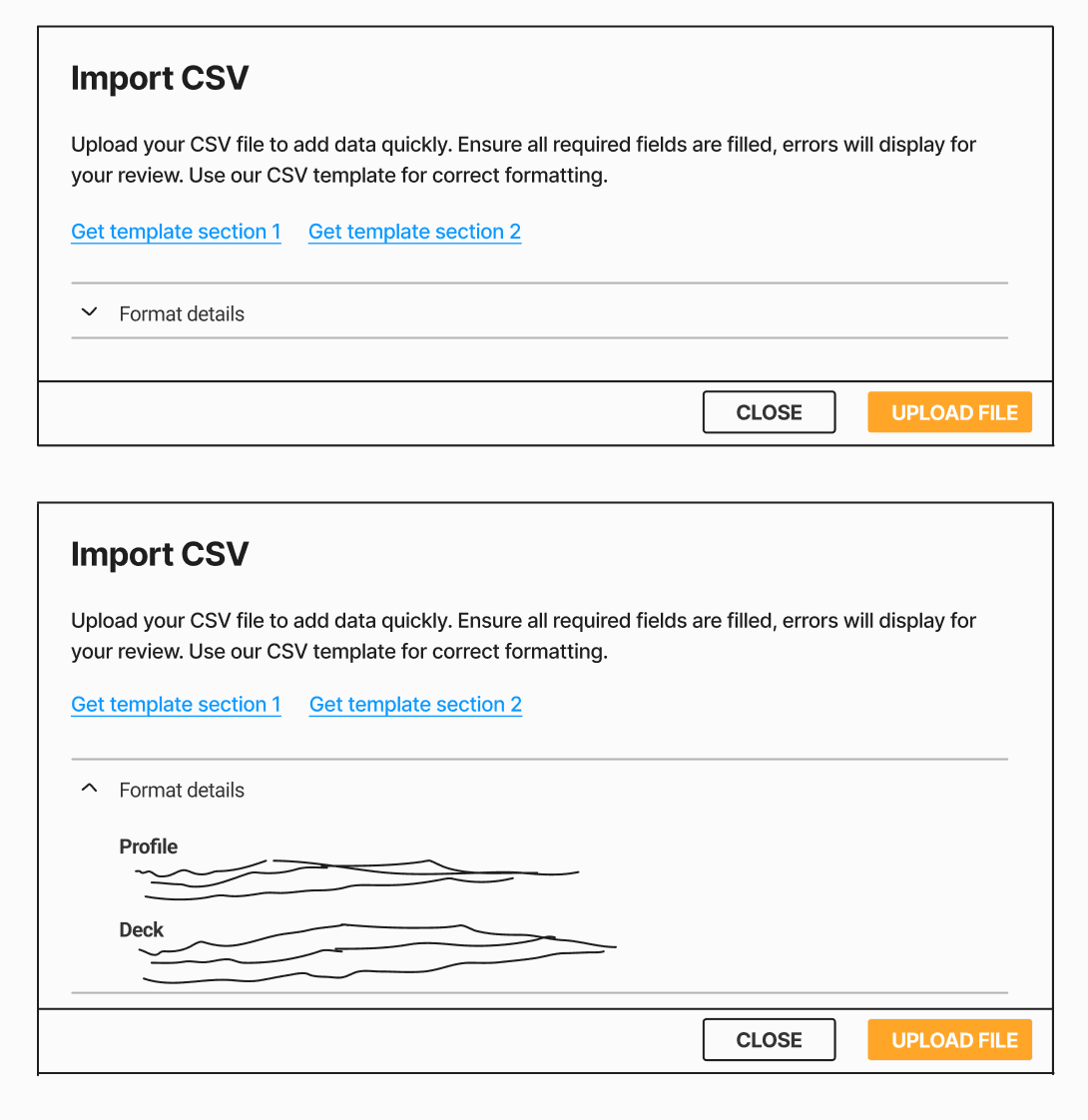
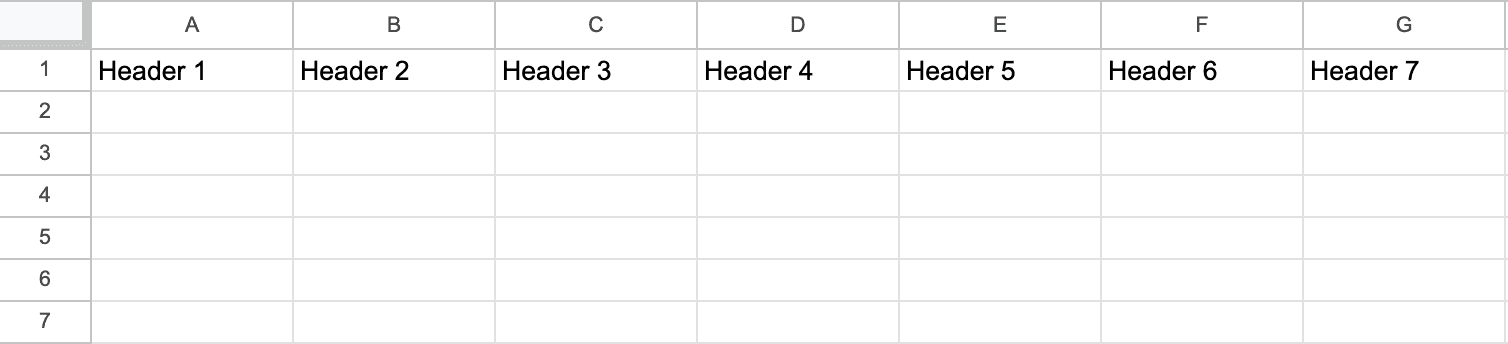
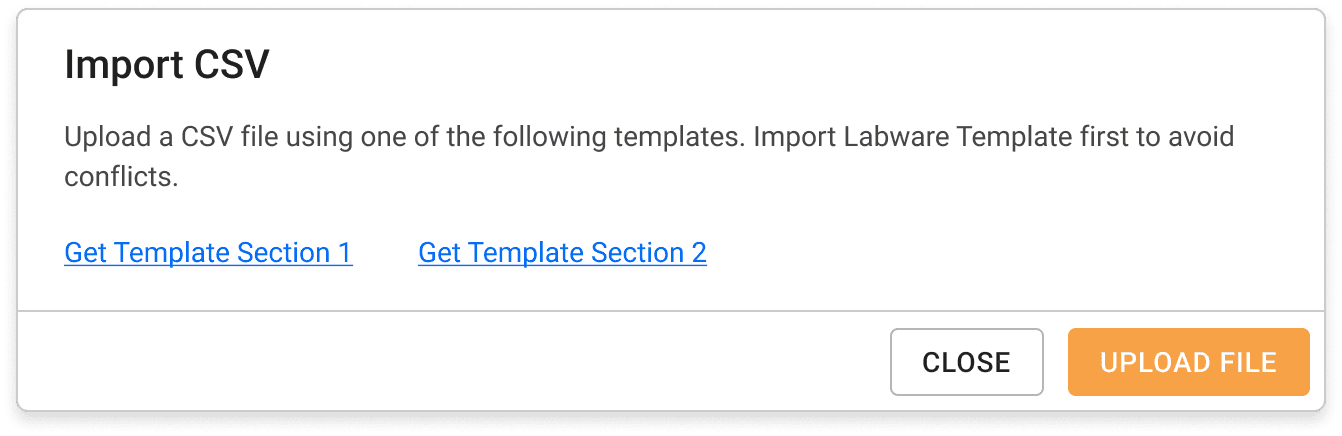
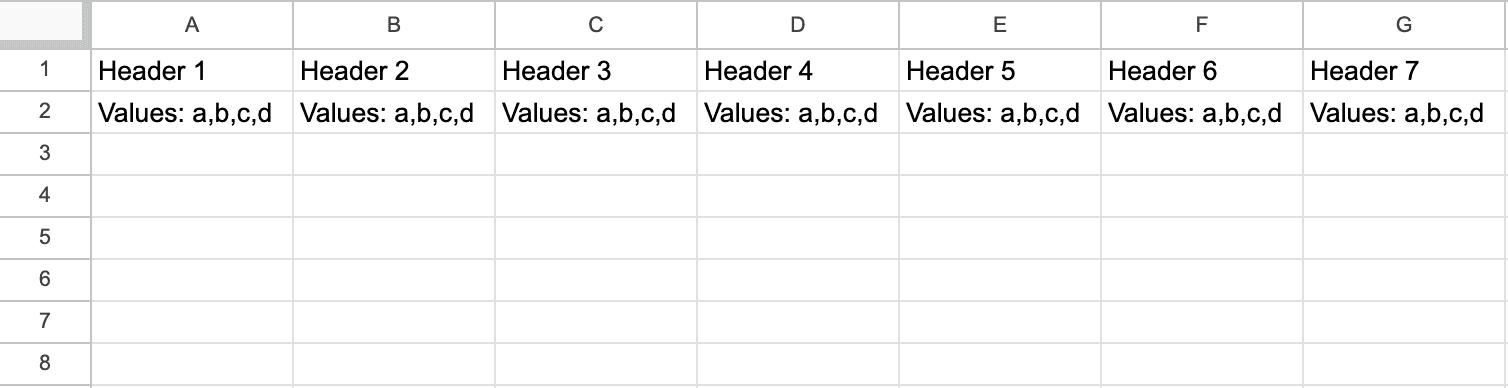
A CSV template would be needed to guide users.
Data validation rules were critical — incorrect input could break downstream processes.
These conversations helped narrow down what was technically possible and what we needed to design around.
PM Alignment
I worked with the PM to refine scope and set priorities:
Focus on the two most-used sections of protocol creation.
Keep imports separate for now, rather than combining them.
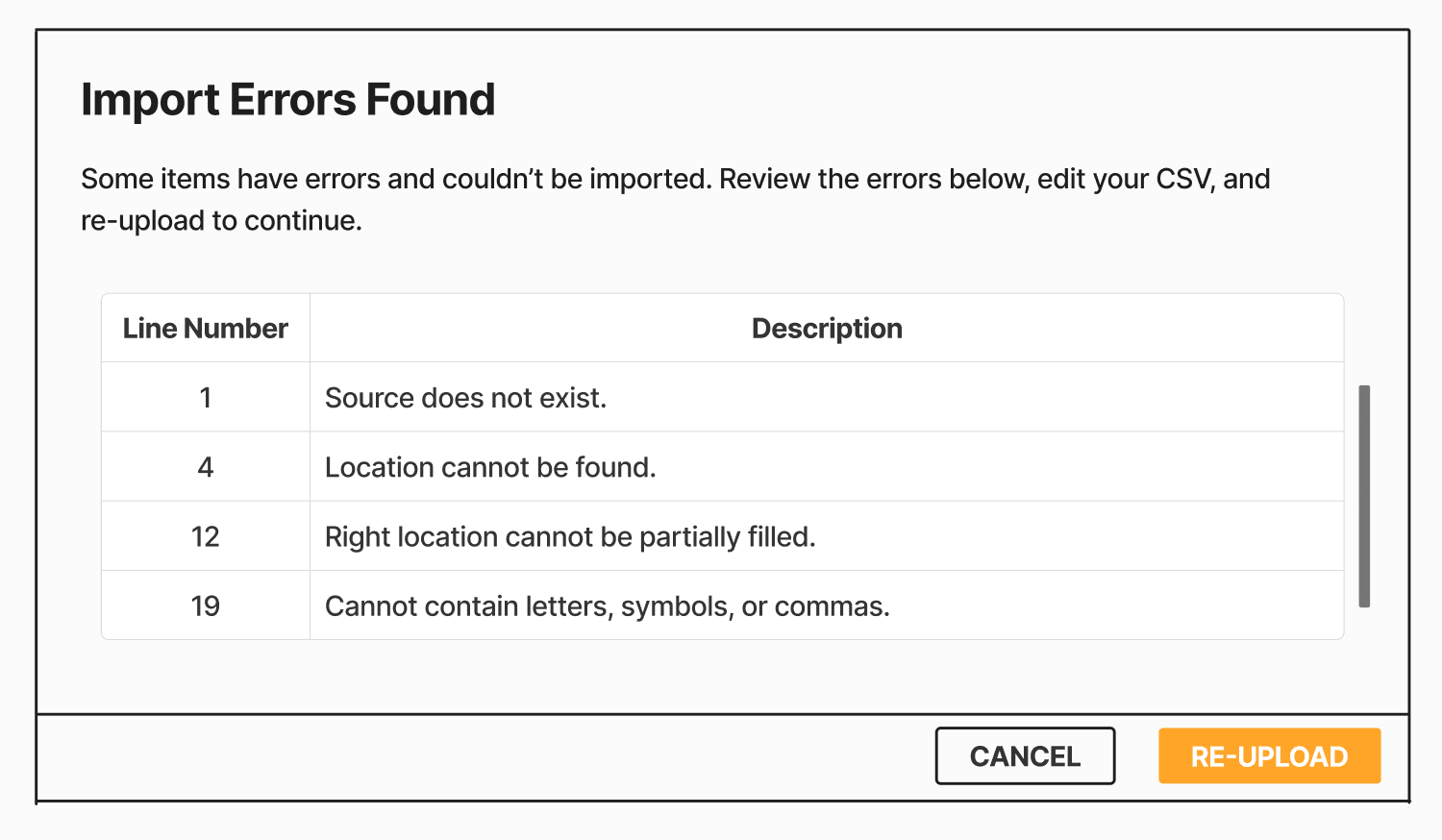
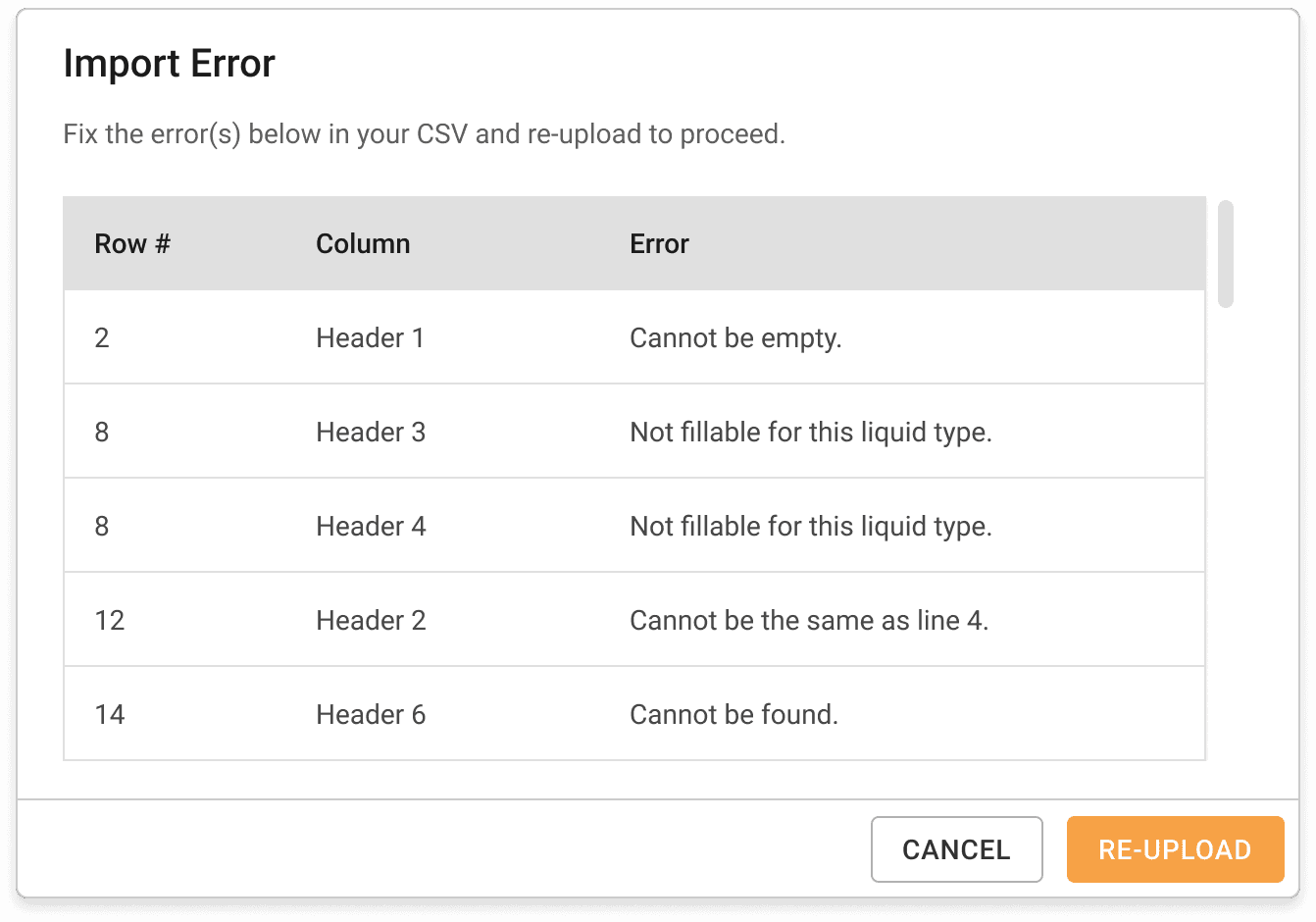
Start with simple error handling that surfaces validation issues clearly.
Update the template structure (e.g., separate “Deck” and “Location” into their own columns).
Involve the technical writer to polish UI error messages.
This provides a realistic, gradual approach that balances user needs with technical feasibility.

Designing and Testing
I created workflows, high-fidelity mockups, prototypes, and CSV templates, then ran a quick usability test with 7 internal participants (internal scientists, QA, and engineers).
The results:
7/7 participants could download the template easily.
7/7 successfully uploaded a CSV file.
5/7 struggled with filling in the template correctly, even with examples.
7/7 found it difficult to trace validation errors because they weren’t shown at the column level.
Despite these challenges, every participant said the feature made protocol preparation more flexible and less tied to the lab.
Iterating Based on Feedback
To address pain points, I refined the design:
Made row 1 the header and row 2 the description/allowed values in the template.
Enhanced validation to highlight errors by column, so users could fix mistakes quickly
The Outcome
When released, the CSV import feature quickly gained adoption. For the first time, scientists could prepare protocols at home or elsewhere, then import them once in the lab. This saved time, reduced frustration, and matched how they were already comfortable working.
Feedback highlights:
Scientists appreciated the flexibility and familiarity of CSV.
Built-in descriptions reduced the need to check external documentation.
Users requested more advanced features in the future, such as customizable columns and custom naming fields.